Smart home technology evolves quickly. The device you set up a few years ago might still work, but that doesn’t mean it’s still working for you and your home needs. Your video doorbell may not capture the detail it used to. You might’ve added rooms, pets, or routines that your current setup simply isn’t designed to handle. Or maybe you’ve seen what current devices can do and realized your system is leaving features on the table.
The good news? Upgrading your devices doesn’t require you to rebuild your home security system from scratch. Upgrading can make your home smarter, and here’s how you’ll know when the time is right.
When Is the Right Time to Upgrade Your Smart Home Devices?
Quick Answer: It’s time to upgrade when your current devices no longer match your lifestyle, miss key features available with newer Ring devices, or struggle with connectivity and performance issues that affect your daily routine.
Not every device needs to be replaced on a schedule. Smart home upgrades are less about age and more about fit. Here are the clearest signs your setup is ready for a refresh:
Your video quality feels outdated. If you’re still watching grainy, black-and-white footage at night, devices with Color Night Vision and 1080p, 2K, or even 4K resolution will change what you can actually see.
You’re missing smart alerts that matter. Newer devices like the Ring Battery Doorbell Plus offer customizable Motion Zones, Person Detection, and 3D Motion Detection that dramatically reduce false alerts.
Your wifi connection drops or lags. If your devices frequently go offline or take too long to load Live View, models with dual-band wifi (2.4GHz and 5GHz) or WiFi 6 offer a more reliable connection.
You’ve outgrown your coverage. Finished renovating a garage or added a gazebo to the backyard? If there are new areas of your home you want to monitor, it’s time to expand.
Your device no longer receives software updates. Like any technology, older devices eventually reach end-of-support. When updates stop, you miss out on new features and security improvements.
Pro Tip: Check the Ring App for device health indicators. If you’re seeing frequent disconnection warnings or degraded video quality, those are signals your hardware may be ready for a refresh.
What New Features Should You Look for When Upgrading?

Quick Answer: The biggest upgrades in today’s smart home devices include higher-resolution video (2K and 4K), advanced AI-powered alerts like Video Descriptions, improved night vision, better wifi connectivity, and expanded privacy controls.¹
Smart home technology has evolved significantly in just the past few years. Here’s what current Ring devices bring to the table that older devices may not have:
2K and 4K video resolution. See friends and family and package deliveries with clarity that older resolution devices simply can’t match.
Color Night Vision. No more guessing what color that car was or what someone was wearing. Color Night Vision captures detailed, full-color footage even after dark.
AI-powered alerts. Features like Video Descriptions and Single Event Alerts use AI to tell you what’s happening, not just that something happened.¹
3D Motion Detection. Available on devices like Ring Battery Doorbell Plus, radar-powered 3D Motion Detection maps movement in your yard with precision, showing you exactly where someone walked.
Bird’s Eye View. See an overhead map of motion events so you know the path someone took to and from your door. Available on Ring Battery Doorbell Plus, Ring Floodlight Cam Wired Pro, and other select devices.
Battery life and solar compatibility. Battery-powered devices like the Ring Spotlight Cam Plus pair seamlessly with Ring Solar Panels for continuous power.
Enhanced privacy controls. Features like Privacy Cover on indoor cameras and customizable Motion Zones give you complete control over what your devices see and when.
The bottom line: if your current device doesn’t offer these capabilities, upgrading means getting more from your home security without adding complexity.
When Are the Best Times of Year to Upgrade?
Quick Answer: The best times to upgrade your smart home devices are during seasonal sales events, when new Ring devices launch, or when your household experiences a major life change like moving, renovating, or welcoming a new family member.
Timing your upgrade strategically can save you money and maximize value:
New product launches. When Ring releases new devices, it’s a great time to evaluate whether your current setup still meets your needs and explore what’s available.
Seasonal sales events. Events like Prime Day, Black Friday, and holiday sales consistently offer some of the best pricing on Ring devices and bundles.
Life transitions. Moving to a new home is the single best time to rethink your entire setup. You’re already installing devices from scratch, so you might as well install the latest.
Home renovations. Adding a room, finishing a basement, or upgrading your front porch? Build your new security setup into the project from the start.
Growing your family. A new baby, a new pet, or aging parents moving in all create new monitoring needs. Indoor cameras, video doorbells, and smart lighting can all help you keep an eye on what matters most.
Do You Need to Replace Your Entire System at Once?
Quick Answer: No. Ring devices are designed to work together, so you can upgrade one device at a time and still enjoy a connected, whole-home security experience.
One of the biggest misconceptions about smart home upgrades is that you need to rip everything out and start fresh. That’s not how Ring works.
Ring’s ecosystem is built for flexibility:
Mix and match devices. Ring Battery Doorbell Plus works seamlessly alongside Ring Stick Up Cam or Ring Floodlight Cam. They all live in the same Ring App, share the same timeline, and respond to the same Modes settings.
Start with your most-used device. If you check your doorbell 10 times a day but rarely look at your backyard cam, upgrade the doorbell first. You’ll feel the difference immediately.
Add, don’t replace. Sometimes the right move isn’t swapping a device but adding one. Ring Pan-Tilt Indoor Cam in the living room or Ring Floodlight Cam in the driveway can fill gaps without touching your existing setup.
Keep your subscription. Your Ring Protect Plan covers all devices at a location, so adding or upgrading a device doesn’t mean paying more for your plan.²
Pro Tip: Use the Ring App to review your Event Timeline. If you notice gaps in coverage, areas with frequent missed events, or rooms where you wish you had a camera, those are your upgrade priorities.
How Does Upgrading One Device Improve Your Whole System?

Quick Answer: Upgrading a single device can enhance your entire Ring system through Linked Devices, shared alerts, and improved Alexa integrations that create a more responsive, connected home.
Your Ring devices don’t operate in isolation. They talk to each other. And when one device gets smarter, the whole system benefits:
Linked Devices. When Ring Battery Doorbell Plus detects motion, it can trigger your indoor cameras to start recording or Ring Smart Lighting to turn on. One upgrade creates a chain reaction of better coverage.
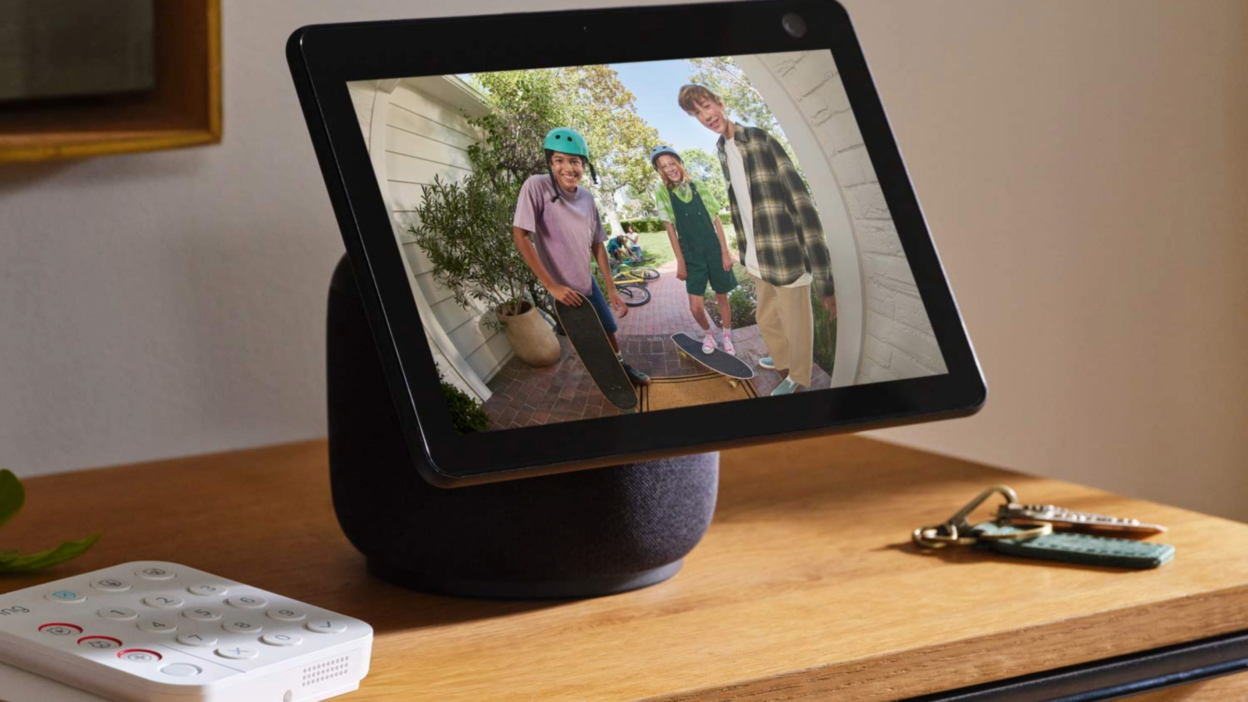
Alexa integration. Ring Video Doorbell Pro with Alexa+ Greetings can answer the door for you, announce visitors on your Echo devices, and show live video on your Echo Show.³
Shared Modes. All your Ring devices respond to the same Home, Away, and Disarmed modes. Upgrading one device means it immediately syncs with your existing routines.
Better notifications across the board. When your device offers Video Preview Alerts or Doorbell Calls, you get richer, faster information that helps you respond to any event at home.²
Ready to find the right upgrade for your home? Check out Ring’s full lineup of video doorbells, security cameras, and other smart home devices at Ring.com.
Smart Home Upgrade Frequently Asked Questions
Q: How long do Ring devices typically last?
A: Ring devices are designed for years of reliable use. However, as technology advances, you may want to upgrade to access features like 2K/4K video, AI-powered alerts, or improved wifi connectivity even if your current device still functions.
Q: Will I lose my video history if I upgrade to a new device?
A: No. Your saved videos remain accessible in the Ring App through your Ring Protect Plan. When you set up a new device, your existing cloud-stored recordings stay intact.²
Q: Can I trade in my old Ring device?
A: Ring occasionally offers trade-in promotions. Check Ring.com or the Ring App for current offers that may provide credit toward a new device.
Q: Do I need to rewire anything when upgrading a wired doorbell?
A: In most cases, no. Wired Ring doorbells use the same standard doorbell wiring (16-24 VAC), making the swap straightforward.
Q: Is it worth upgrading if I don’t have a Ring Protect subscription?
A: Yes. Core features like Live View, real-time motion alerts, two-way talk, and customizable motion zones all work without a subscription. Upgrading gives you better video quality, smarter detection, and improved connectivity regardless of your plan.
¹ Compatible Ring subscription required. Feature not available for customers in Illinois due to state-specific legislation. Video Descriptions and Single Event Alert availability limited to mobile devices with select primary languages. Familiar Faces requires compatible Ring subscription and select devices. Familiar Faces is not available for customers in Illinois, Texas, and Portland, Oregon due to specific legislation.
² Compatible Ring subscription required. Your Ring motion event videos in the cloud are stored, up to 180 days from recording. Modifying your video storage duration affects only recordings created after the change is applied.
³ Compatible Ring subscription required and Alexa+ enabled. Requires Ring Video Doorbell Pro or Ring Video Doorbell Plus. Availability limited to mobile devices with select primary languages. Features not available for customers in Illinois due to state-specific legislation.