Mornings rarely fall apart because of one big problem. They unravel through a dozen tiny decisions: silencing the alarm, turning on the lights, opening the curtains, starting breakfast, making sure the front door is locked, then scrambling out of the house.
The most useful smart-home gadget is not necessarily the one with the flashiest app. It is the one that quietly removes one of those decisions.
These six gadgets focus on that goal. Some require more setup than others, and several come with important caveats. The key is separating what each company promises from what the hardware can actually automate.
Add The Gadgeteer on Google Add The Gadgeteer as a preferred source to see more of our coverage on Google.
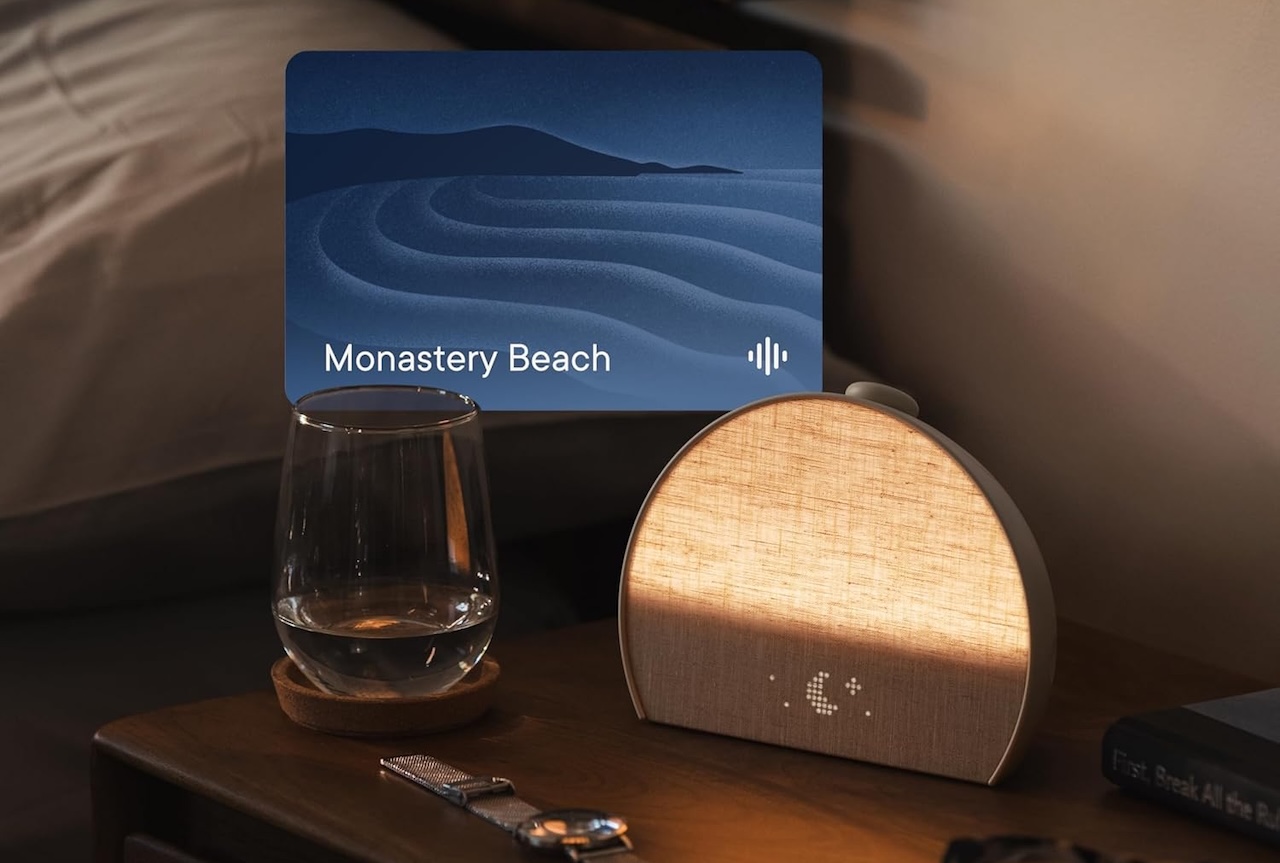
1. Hatch Restore 3: For Getting Your Phone Out of the Wake-Up Routine
The problem: Your phone alarm wakes you up, but it also puts notifications, apps, and the snooze button within arm’s reach.
The practical impact: The Restore 3 gradually brightens before its alarm begins. More importantly, it gives your wake-up routine a dedicated place on the nightstand. That makes leaving the phone across the room more practical.
The claim: Hatch says Restore 3 combines customizable sunrise alarms, light, sounds, routines, and physical controls. Sunrise duration, light, and sound can be configured through the app.
The evidence and caveat: The device supports scheduled light-and-sound routines. Broader claims about improving sleep deserve more restraint. A sunrise alarm does not replace adequate sleep.
Price: $169.99
Where to Buy: Amazon
Hatch+ is optional for ongoing use. Basic alarm and sunrise functions remain available without an ongoing paid subscription, while Hatch+ expands the content library.
Buyer fit: Consider it if getting your phone out of your wake-up routine would improve your mornings. Skip it if you only need a basic alarm or already have reliable smart-light routines.
2. SwitchBot Curtain 3: For Opening the Curtains Before You Get Up
The problem: Closed curtains keep a bedroom dark at night, but opening them is another task when you are still half asleep.
The practical impact: SwitchBot Curtain 3 attaches to compatible curtain rods or tracks and physically moves the curtain. Set a schedule and the curtains can open automatically without replacing the entire window covering.
The claim: SwitchBot supports schedules, app control, touch control, and optional solar charging. Matter integration is available through compatible SwitchBot bridge hardware.
For light-responsive opening, you need SwitchBot’s optional Solar Panel; the Curtain 3 itself does not include a light sensor.
The evidence and caveat: The motor can automate a compatible curtain. The hardware only helps if your existing curtain setup can accommodate it. Rail type, curtain weight, and how freely the fabric moves can affect the result.

Price: $139.89
Where to Buy: Amazon
Matter also does not mean Curtain 3 connects directly to every Matter ecosystem. SwitchBot uses Matter-over-Bridge, so compatible SwitchBot hub hardware is required.
Buyer fit: It makes the most sense for renters and apartment dwellers whose curtains already move smoothly. It is less attractive for heavy drapes or anyone wanting an invisible, built-in motorized shade system.
3. Aqara Presence Sensor FP2: For Lights That Know You Are Still There
The problem: Basic motion sensors can switch lights off while you stand relatively still brushing your teeth, getting dressed, or working at a counter.
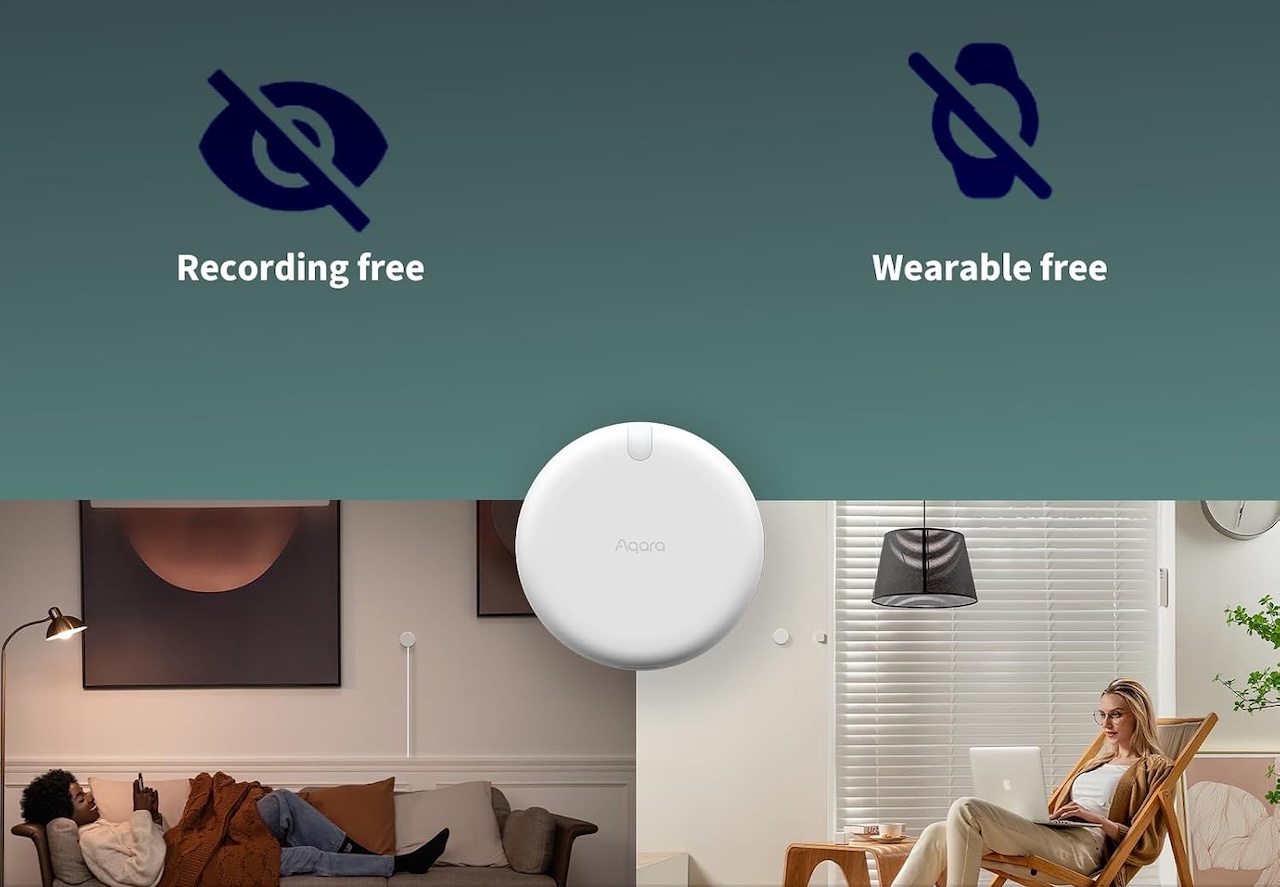
The practical impact: The FP2 uses millimeter-wave radar to detect presence rather than relying only on larger movements. It can also divide one room into multiple zones.
That enables more targeted automations. Presence at a bathroom vanity could control one light while presence elsewhere in the room triggers another.
The claim: Aqara advertises detection of multiple simultaneous presences, though accuracy can vary with placement and room conditions.
The evidence and caveat: The FP2 requires constant power and thoughtful placement. Room mapping also takes setup time.
Price: 74.99
Where to Buy: Amazon
Aqara says the FP2 supports local automation, but its documentation notes that Aqara-side Wi-Fi local automation requires a compatible Aqara hub with appropriate firmware support. Third-party behavior depends on the smart-home platform you use.
Buyer fit: Best for someone willing to spend time configuring a high-value room such as a bathroom, bedroom, kitchen, or office. Skip it if you want a simple battery sensor that requires almost no setup.
4. GoveeLife Smart Electric Kettle Pro: For Having Hot Water Waiting
The problem: Tea drinkers and pour-over coffee fans still spend part of the morning waiting for water to heat.
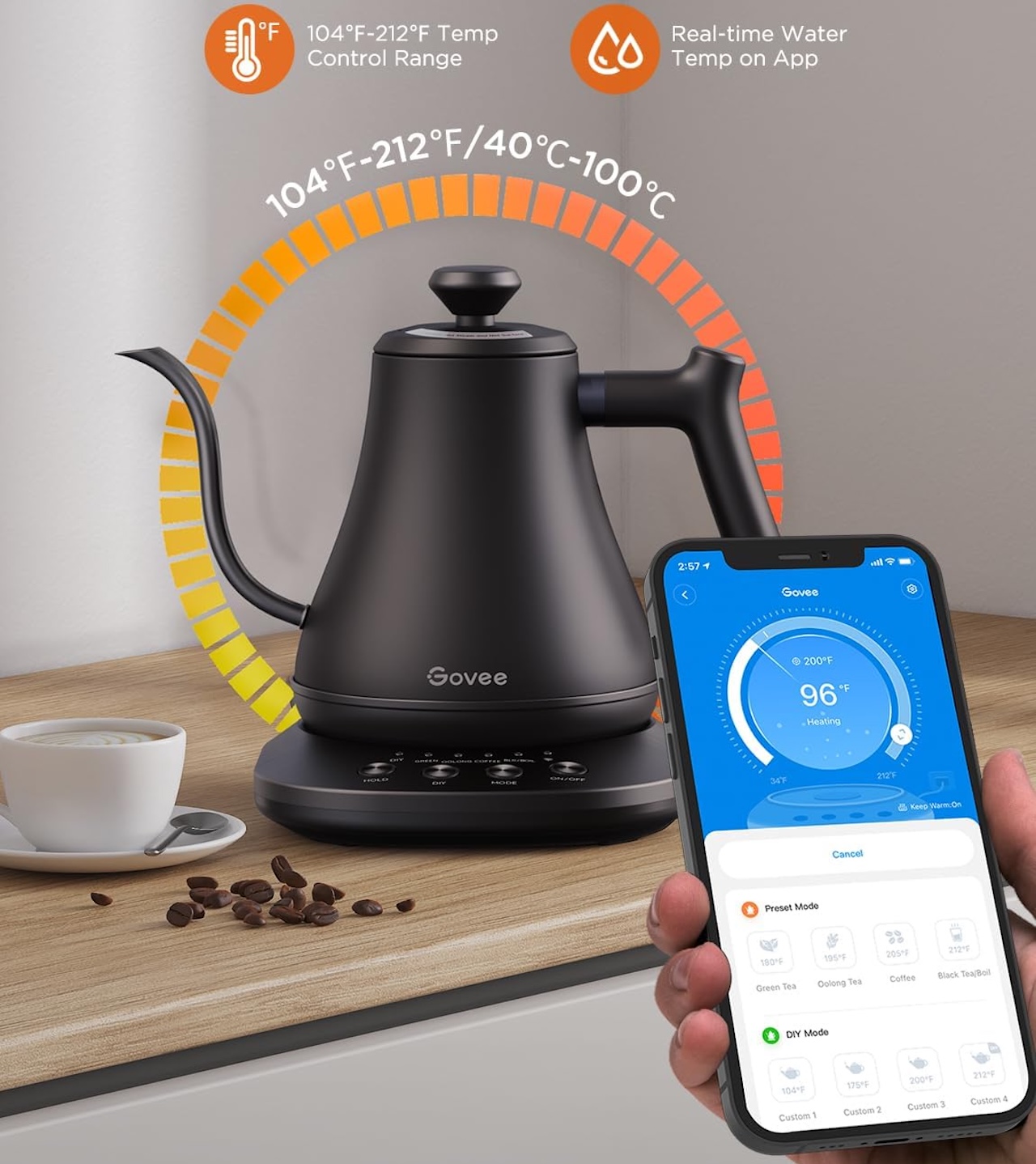
The practical impact: The GoveeLife Smart Electric Kettle Pro H717A can schedule heating and target specific temperatures. It also supports Alexa and Google Assistant control.
The 1.7-liter model offers temperature presets for different drinks and a keep-warm function.
The claim: Govee advertises one-degree temperature accuracy and says its 1500W heater can heat 1.7 liters in roughly five to seven minutes. Those are manufacturer claims, not independent measurements.
Price: 79.99
Where to Buy: Amazon
The evidence and caveat: Scheduled heating is a genuine automation. The kettle still needs water and safe placement.
Treat it like any hot appliance. Follow Govee’s operating instructions and normal safety precautions when using scheduled or remote functions.
Buyer fit: It makes sense for tea drinkers and pour-over fans with predictable mornings. It is less useful if another machine already handles your morning drink automatically.
5. Yale Assure Lock 2 Touch: For Ending the “Did I Lock the Door?” Question
The problem: A rushed departure can leave you wondering whether you locked the front door.
The practical impact: Yale’s Assure Lock 2 Touch combines fingerprint access, entry codes, Auto-Lock, and DoorSense.
The important morning feature is DoorSense-aware Auto-Lock. Yale says Auto-Lock can operate on a timer or, with DoorSense configured, wait until the door is actually closed before locking.
That distinction matters. With DoorSense installed and configured, the lock can detect whether the door is closed. It does not know whether you personally left home.

Price: $300.89
Where to Buy: Amazon
The claim: Yale also offers fingerprint unlocking and entry codes. Choose the specific connectivity version that matches your ecosystem; remote access and platform support vary by model and included module.
The evidence and caveat: DoorSense can prevent Auto-Lock from extending the deadbolt while the door is open. Installation and door alignment still matter. A smart lock cannot fix a door that already binds or fails to close properly.
Buyer fit: It makes sense for busy households and anyone who regularly second-guesses the front door. It is less appealing for renters who cannot replace the deadbolt or homes with existing door-alignment problems.
6. Eve Energy: For Giving Simple Devices a Schedule
The problem: Replacing every lamp, fan, and simple appliance with a connected version is expensive and unnecessary.
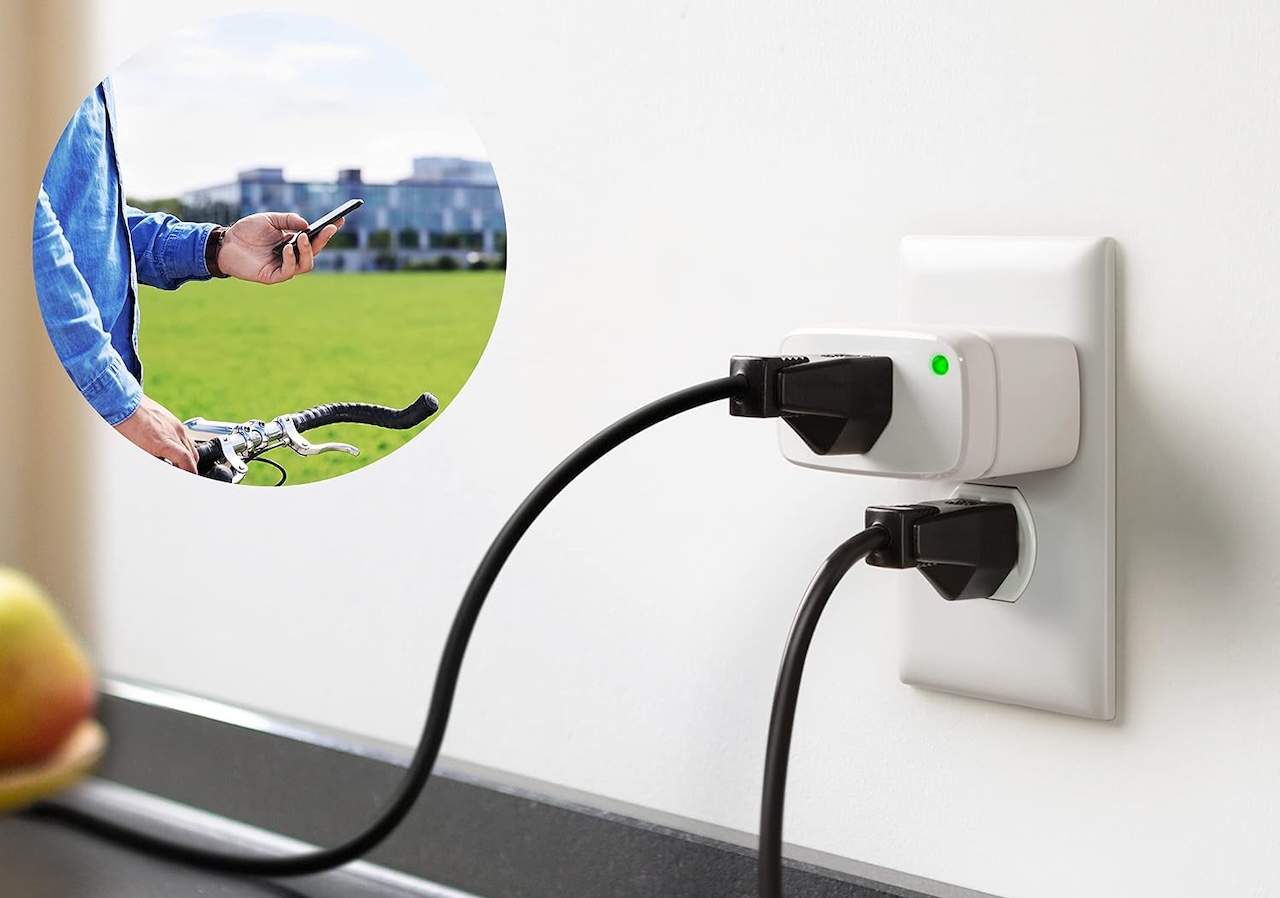
The practical impact: Eve Energy can add switching and scheduling to compatible devices. Eve supports on-device schedules on supported platforms. Eve supports local scheduling in supported setups. Confirm how schedules run in your chosen Matter platform before treating them as accessory-stored or internet-independent.
A morning schedule could switch on a lamp before you enter the room.
The claim: Current Eve Energy models support Matter over Thread and require compatible Matter Controller and Thread Border Router hardware. Eve also offers energy monitoring, although feature availability can differ between smart-home platforms.
Price: $69.95
Where to Buy: Amazon
The evidence and caveat: Eve Energy controls whether power reaches a device. It cannot operate controls on the device itself.
That distinction matters. Use Eve Energy only with devices suitable for switched-power operation, and follow the device manufacturer’s safety guidance.
Buyer fit: It is best suited to lamps and other simple devices that safely resume operation when power is supplied, particularly in an existing Matter and Thread home. It is not a universal appliance automator.
The Bottom Line
You do not need all six.
Start with the morning annoyance that repeats every day. Maybe it is reaching for your phone, opening the curtains, standing in a dark room, waiting for hot water, checking the front door, or switching on the same lamp.
Automate that first.
If you eventually stop noticing the automation because it simply works, it has done its job. Then consider adding the next one. That is a better measure of a useful smart home than the number of connected gadgets you own.
Love our content?
Sign up for our newsletter today.
No ads, no spam, just links to our latest articles!